Training log · iPhone & Apple Watch

Archery, clearly documented.

A few seconds after the end are enough: record the scores and keep shooting. ArrowNotes captures training and competition, analyses your results and keeps track of your gear – without the clutter.

Download on the App Store Download on the App Store Free · no subscription No account · works offline
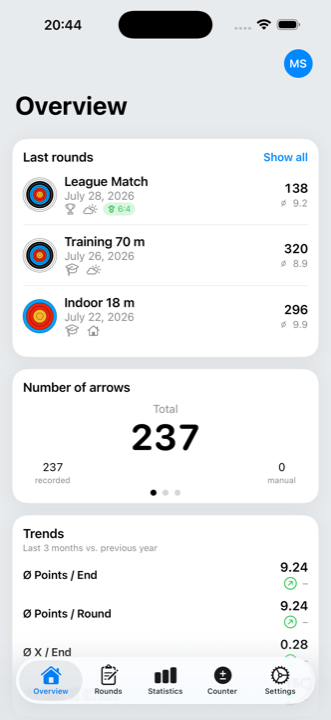
ArrowNotes overview with recent rounds, arrow count and trends

Why ArrowNotes?

ArrowNotes grew out of practice – out of the wish for an app that lets you record arrows without detours, without distraction and without rigid rules. In training or in competition: a few seconds after the end should be enough to note the result and get back to shooting.

The app deliberately avoids clutter, yet gives you a solid basis for analysis, evaluation and structure. Many features are already there, others are added step by step – with the goal of being a powerful but still clear companion for archers.

What ArrowNotes does

Record it the way it suits you

Tap the rings right on the target face – a loupe shows the spot your finger covers. Prefer typing? Use the keypad. Took a photo of the target? Place the markers on the photo.

  • Three ways to record: target face, keypad, target photo
  • Target faces: WA/FITA 10, 5 and 6 ring, 3-spot, WA Field, WA Field 3-spot
  • Record freely without a fixed number of ends – ideal for training
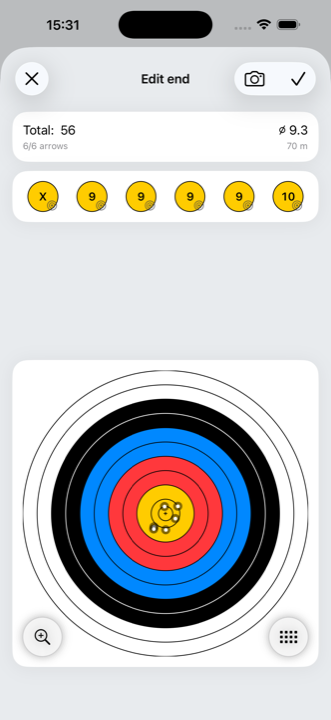
Recording an end on the target face

Just photograph the target

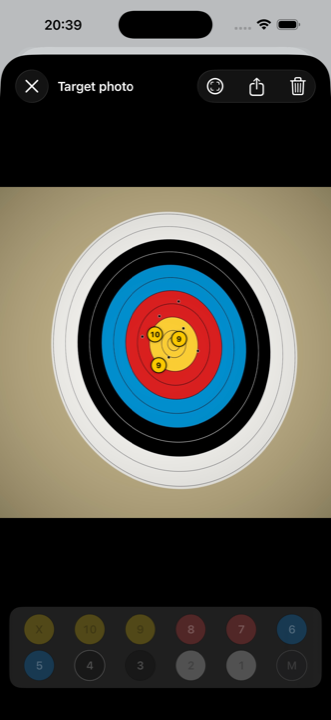
No paper, no copying: take a photo of the target face, tap the ring value in the palette and drag the marker onto the arrow. The photo stays with the end – as a record and as the basis for analysis.

  • One photo per end, visible at a glance in the list of ends
  • Press and hold to lift a marker and place it precisely, with a loupe
  • Scores feed into the total and the statistics
Recording scores directly on the target photo

Shot from an angle? No problem

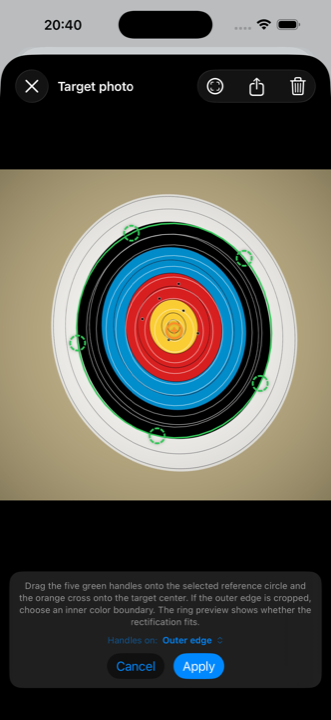
You rarely stand square in front of the target. Perspective correction puts a template over the photo – five handles on a reference circle, a cross on the centre, with an automatic suggestion. After that the markers are real positions on the target face.

  • Works even when the outer edge is cropped
  • For field faces and 3-spot just as for the classic target
  • If the angle is too steep the app declines instead of guessing
Calibration template on the target photo

Competition and match play

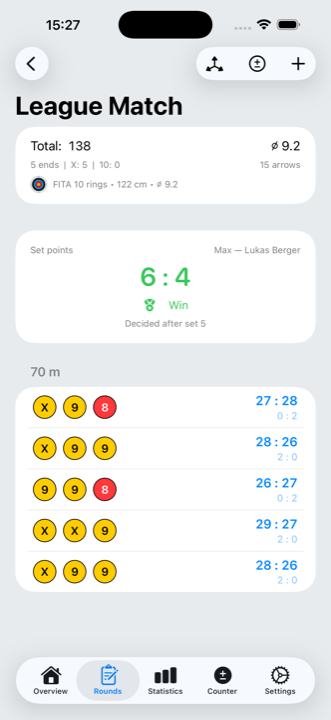
The Olympic set system and cumulative compound scoring are built in – as individual, team and mixed team. The round shows the set point score, every set and the winner; if it is level, the shoot-off follows.

  • Six WA formats, set and arrow counts come from the format
  • Enter your opponent's set total while you record
  • Shoot-off included, with the decision of who was closer to the centre
Match play scoring with set points and list of sets

Rounds with several sections

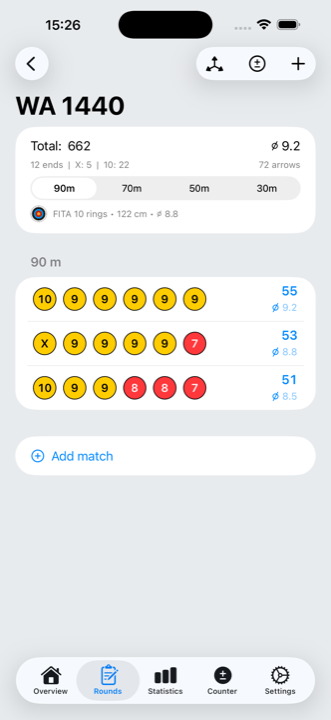
A round consists of as many sections as you like – each with its own target face, size and distance. That covers a WA 1440 just as well as a field course or an indoor tournament.

  • Templates for indoor, outdoor, field and 3-spot
  • Select and analyse each section on its own
  • Save, edit and delete ends
Round with four sections at 90, 70, 50 and 30 metres

See where your arrows land

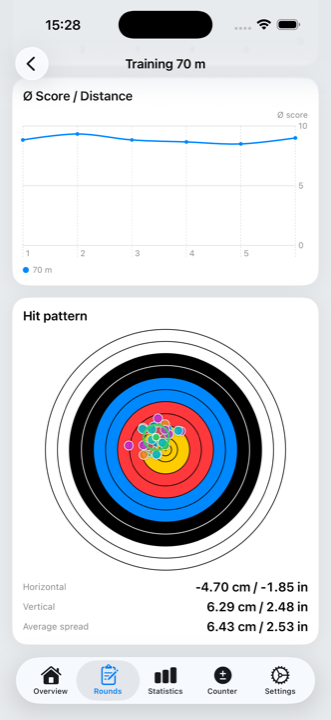
The hit pattern shows group centre and spread in centimetres – for rounds with several target faces separately per face, so the numbers stay correct.

  • Horizontal and vertical offset, average spread
  • Page through it per target face
  • Based on positions from the target face and from target photos
Hit pattern with group centre and spread

Make progress measurable

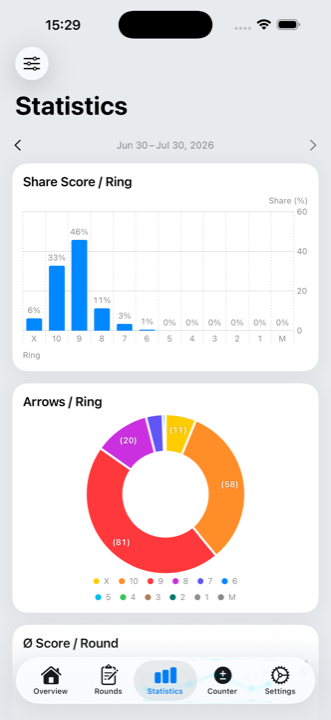
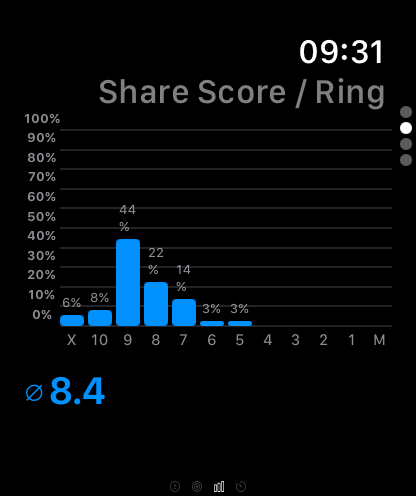
Score shares, score distribution and averages per end, round and distance – filtered by period, type and place. Plus trends that show where you are heading.

  • Statistics across all rounds or for a single round
  • Average score per end, round and distance
  • Arrow counter for training without scoring
Statistics with score shares and distribution

Apple Watch

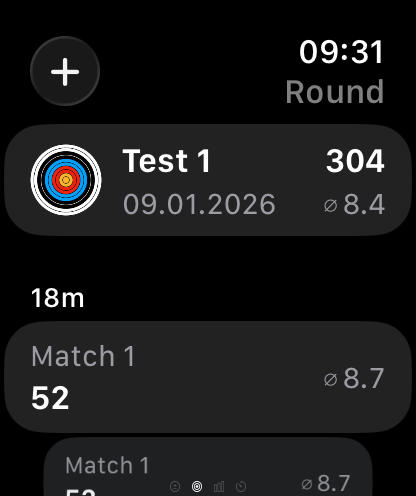
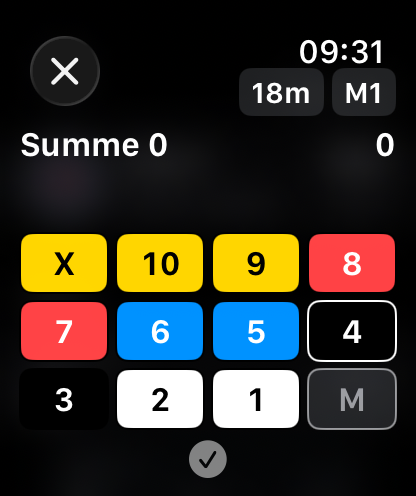
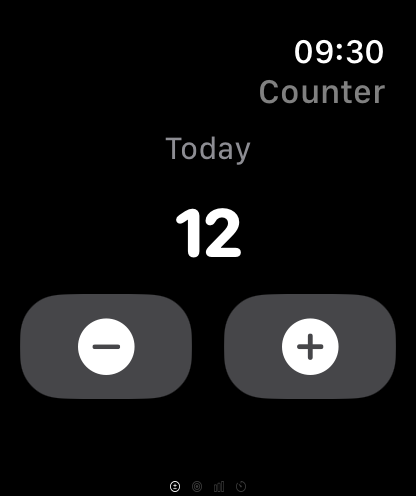
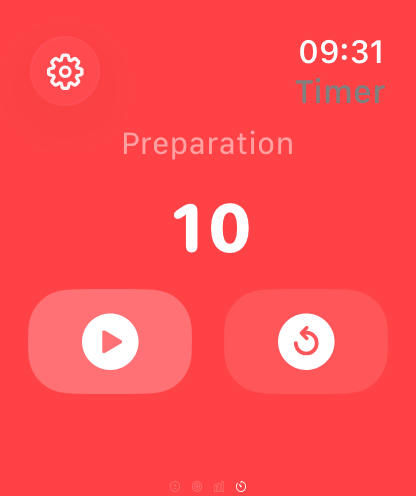
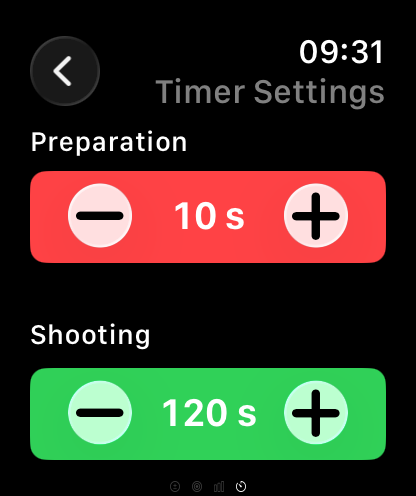
The watch is your remote control: record an end, keep the counter running, start the timer, check your statistics.

Equipment, sync and more

Equipment & setups

  • Manage bows, limbs, sights and arrows
  • Several setups per bow (draw weight, tiller, brace height)
  • Sight settings per bow/sight combination and distance
  • Recurve, barebow, compound and longbow

Timer & arrow counter

  • Shooting timer with preparation, shooting and warning
  • Haptic and acoustic signals
  • Count arrows outside of rounds, stored per day

Sync & backup

  • Local storage, optional iCloud sync
  • All your devices in step, the watch included
  • Export and import your data as a file

Personal profile

  • First name, last name, club and profile picture
  • In match play your first name replaces “Me”
  • Carried to all your devices via iCloud

Technical data

PlatformiOS and watchOS
Minimum versioniOS 18.2 · watchOS 11.6
DevicesiPhone and Apple Watch
LanguagesGerman, English
Data storageLocal (Core Data), optional iCloud
AccountNot required
PriceFree, no subscription

Help and legal

User manual

Every feature explained step by step.

Open the manual →

FAQ

Short answers on recording, watch, sync and timer.

Open the FAQ →

Support

Questions, bugs or ideas? Drop me a line.

support@maxschroeder.com

Legal

Privacy policy, imprint and terms of use.

Privacy · Imprint